> For the complete documentation index, see [llms.txt](https://yams.yassrobotics.com/llms.txt). Markdown versions of documentation pages are available by appending `.md` to page URLs; this page is available as [Markdown](https://yams.yassrobotics.com/readme.md).
# Yet Another Mechanism System
Yet Another Mechanism System: the mechanism library built from years of FRC experience. Describe your mechanism once, and get the commands, simulation, telemetry, and live tuning.
Yet Another Mechanism System
What top FRC teams spent seasons building into their own robot code, in one library any team can use. Describe your mechanism once. YAMS gives you the commands, the simulation, the telemetry, and live tuning.
Cover image
:wand-magic-sparkles:
Generate a mechanism
Fill in a form and YAMG writes the subsystem for you: elevators, arms, pivots, turrets, and flywheels, with absolute encoders and homing switches, ready to drop into your robot.
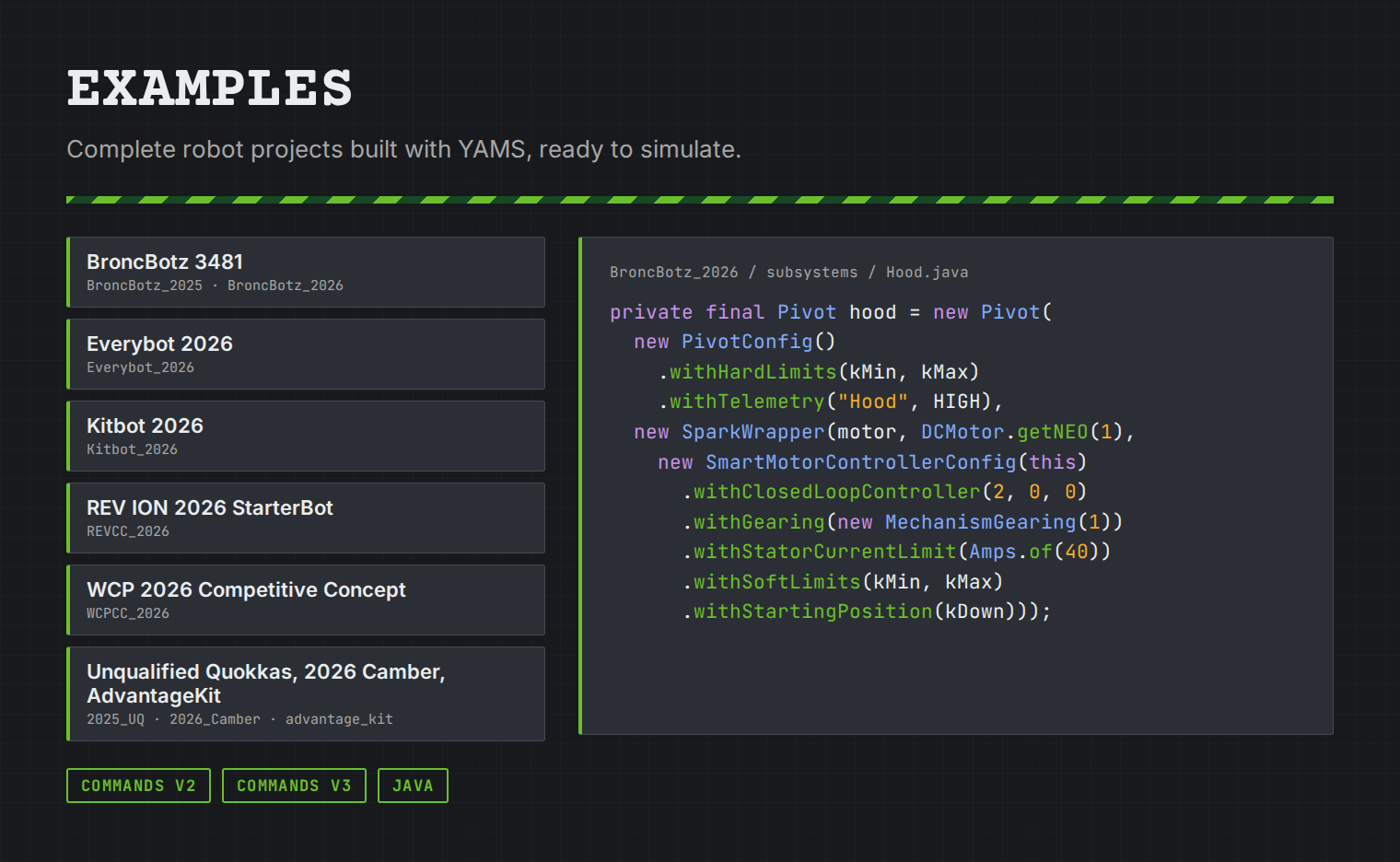
Download complete robot projects built with YAMS from the latest release, for Commands v2 and v3: BroncBotz, Everybot, Kitbot, the REV and WCP 2026 robots, and more, each ready to simulate.
{% columns %}
{% column %}
**Built from years of FRC experience**
The best FRC teams have spent years building their own mechanism code: motion profiles that plan for what a motor can really do, simulations that include the battery sagging under load, gains they can tune while the robot runs, absolute encoders that know where a turret is the moment it turns on. That code usually stays inside one team, and every other team starts again from zero.
YAMS brings those ideas together in one open source library, so your team can use them from its very first mechanism. It is built by Yet Another Software Suite, the team behind YAGSL, whose main developers have been doing FRC for over 10 years.
Why YAMS?Source on GitHub
{% endcolumn %}
{% column %}
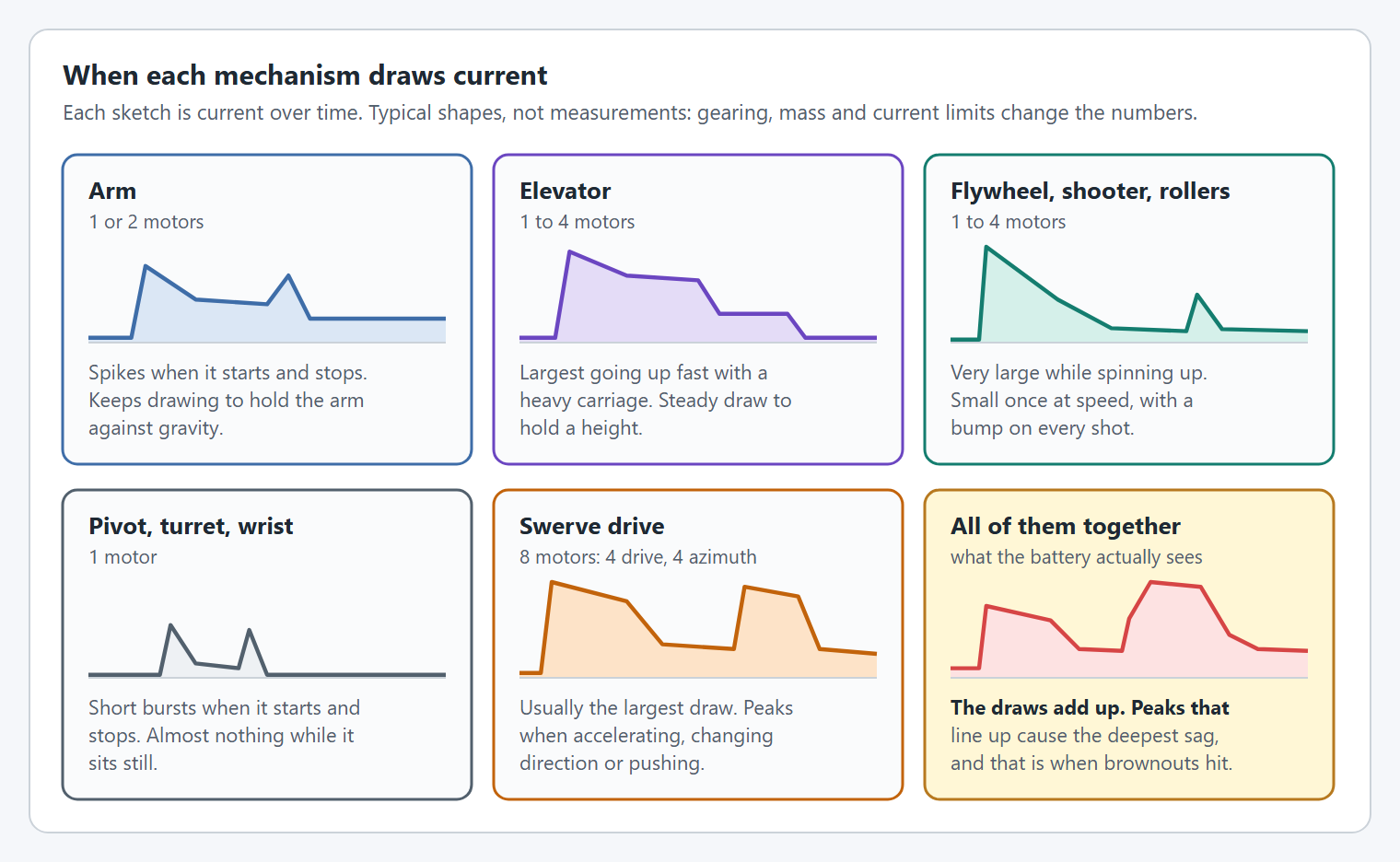
YAMS simulates the whole robot's battery, so a brownout shows up before competition.
{% endcolumn %}
{% endcolumns %}
{% columns %}
{% column %}
**Getting started is easy**
1. **Create a project and install YAMS.** It is one vendordep in a standard WPILib 2027 project.
2. **Describe your mechanism.** Generate it with [YAMG](https://yamg.yassrobotics.com), or follow a tutorial. Tutorials configure the motor controller, then the mechanism, in about 15 lines. To see a whole robot, download one of the [example projects](https://github.com/Yet-Another-Software-Suite/YAMS/releases/latest) from the latest release.
3. **Run it in simulation.** Every mechanism simulates itself. Drive it, tune it, and graph it in AdvantageScope before the robot is built.
Get startedOpen YAMGDownload examples
{% endcolumn %}
{% column %}
{% code title="ArmSubsystem.java" %}
```java
// 1. Configure the motor controller: control, gains, gearing and limits.
SmartMotorControllerConfig motorConfig = new SmartMotorControllerConfig(this)
.withControlMode(ControlMode.CLOSED_LOOP)
.withClosedLoopController(4, 0, 0)
.withTrapezoidalProfile(DegreesPerSecond.of(180), DegreesPerSecondPerSecond.of(90))
.withFeedforward(new ArmFeedforward(0, 0, 0, 0))
.withGearing(new MechanismGearing(GearBox.fromReductionStages(3, 4)))
.withSoftLimits(Degrees.of(-30), Degrees.of(100))
.withStatorCurrentLimit(Amps.of(40))
.withZeroPower(MotorMode.BRAKE)
.withStartingPosition(Degrees.of(0))
.withTelemetry("ArmMotor", TelemetryVerbosity.HIGH);
// 2. Create the motor controller.
TalonFX armMotor = new TalonFX(1, new CANBus(CANPort.CAN_S0));
SmartMotorController motor = new TalonFXWrapper(armMotor, DCMotor.getKrakenX60(1), motorConfig);
// 3. Configure the arm.
ArmConfig armConfig = new ArmConfig()
.withLength(Meters.of(0.135))
.withHardLimits(Degrees.of(-100), Degrees.of(200))
.withTelemetry("Arm", TelemetryVerbosity.HIGH);
// 4. Create the arm, and use its commands.
Arm arm = new Arm(armConfig, motor);
Command raise = arm.setAngle(Degrees.of(90));
```
{% endcode %}
{% endcolumn %}
{% endcolumns %}
{% columns %}
{% column %}
Exponential profiles plan for a motor losing torque as it speeds up.
{% endcolumn %}
{% column %}
**Everything a mechanism needs, built in**
* **Simulation** of every mechanism with no extra code, including a [battery simulation](https://yams.yassrobotics.com/documentation/how-to-simulation-and-logging/how-do-i-enable-battery-discharge-simulation) of the whole robot.
* **Live tuning** of the gains, the profile, and the limits from a dashboard, applied while the robot runs.
* **Telemetry** of the motor and the mechanism, at the verbosity you choose.
* **Control** beyond PID: trapezoidal and [exponential profiles](https://yams.yassrobotics.com/documentation/how-to-motor-controllers-and-sensors/how-do-i-use-exponential-profiles), and LQR.
* **Absolute encoders**, and EasyCRT to find a turret's angle from two of them.
* **Sensors** that simulate themselves: wrap a limit switch, a beam break, or any other [sensor](https://yams.yassrobotics.com/documentation/details/sensors), and the simulation triggers it the way the real one is, such as a [homing switch](https://yams.yassrobotics.com/documentation/how-to-mechanisms/how-do-i-home-a-mechanism-with-limit-switches) pressed when the mechanism reaches its hard stop.
* **Every common mechanism**: arms, elevators, pivots, turrets, flywheels, double jointed arms, differential mechanisms, and swerve drives.
* **Your hardware**: TalonFX, TalonFXS, SPARK MAX, SPARK Flex, and Thrifty Nova, in Java and C++, with WPILib Commands v2 or v3.
{% endcolumn %}
{% endcolumns %}
Join a community of over 400 teams
Join our Discord community or create your first PR in a few steps.
{% columns %}
{% column %}
**Discord community**
Post questions, get help, and share resources with over 3,000 like-minded developers.
Join Discord
{% endcolumn %}
{% column %}
**GitHub**
YAMS is 100% open source and built by developers just like you. Report an issue or submit your first PR.
Submit a PR
{% endcolumn %}
{% endcolumns %}